In this article
Working out how old someone is sounds like the easiest calculation there is — until a form asks for your age "in years, months and days", a school sets an age cut-off on a specific date, or someone was born on 29 February. Then the simple subtraction you do in your head is no longer enough.
This guide shows you exactly how to calculate age: in whole years, in years, months and days, and in total days or weeks. It covers the tricky cases — month-end and leap-year birthdays — and gives you the formulas for Excel and Google Sheets. To get the answer instantly, use the free Age Calculator.
How to calculate age in years
Most of the time, "age" means the number of complete years since someone was born. The rule has two steps:
- Subtract the birth year from the current year.
- Subtract 1 if this year's birthday has not happened yet.
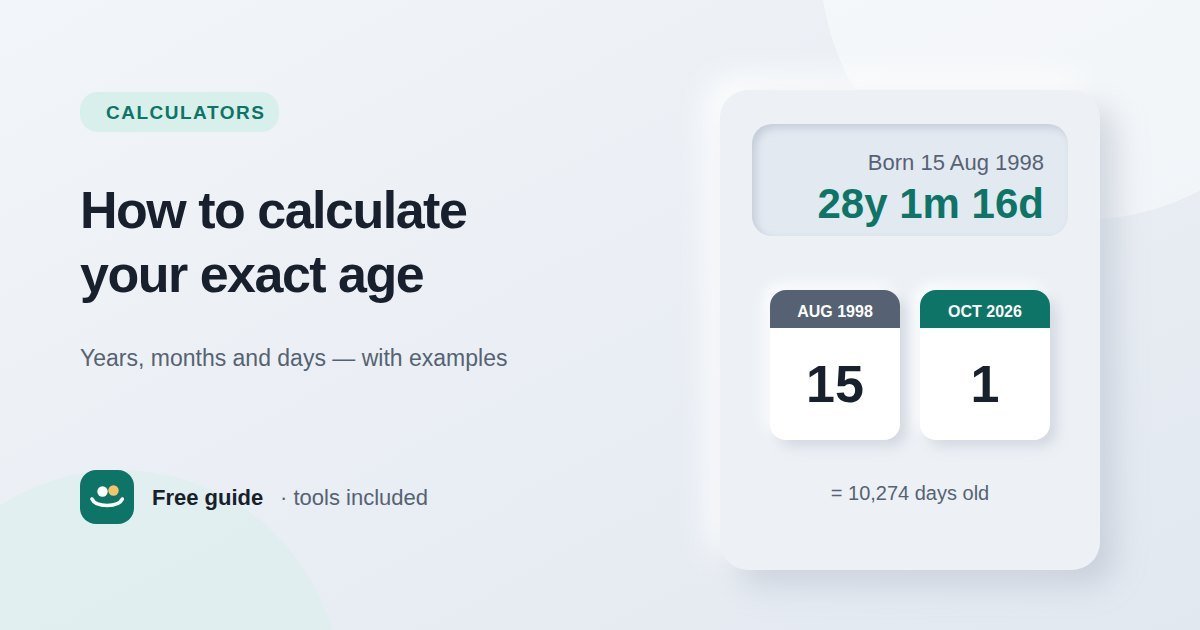
Born 15 August 1998, age on 1 October 2026 → 2026 − 1998 = 28. The birthday (15 August) has already passed this year, so the age is 28.
Born 20 November 2000, age on 1 October 2026 → 2026 − 2000 = 26. The birthday (20 November) has not happened yet, so subtract 1: the age is 25.
This is the method used for legal ages, school entry, age categories in sport and most official forms. A person's age increases on the day of their birthday, not before.
How to calculate age in years, months and days
Some applications, medical records and baby milestones need a more precise answer. The method is the same one people use when they say "34 years, 5 months and 12 days": count whole years, then whole months, then the days left over.
- Count complete years up to the most recent birthday.
- Count complete months from that birthday up to the most recent "month anniversary" (the same day number as the birth date).
- Count the remaining days from that month anniversary to today.
Last birthday: 15 August 2026 → 28 years.
From 15 August to 15 September → 1 month.
From 15 September to 1 October → 16 days.
Age: 28 years, 1 month and 16 days.
The "borrowing" method on paper
You can also subtract the dates like a column sum — day from day, month from month, year from year — borrowing when a number is too small:
| Year | Month | Day | |
|---|---|---|---|
| Today | 2026 | 10 | 1 |
| Borrow a month (September has 30 days) | 2026 | 9 | 31 |
| Date of birth | 1998 | 8 | 15 |
| Age | 28 | 1 | 16 |
When you borrow a month, add the number of days in the previous month (here, September's 30 days) to the day column. If the month column is too small, borrow 12 months from the year column in the same way.
How to calculate age in days, weeks or months
Sometimes you need a single total — for example, a baby's age in weeks, or how many days old you are.
- Total days: count the calendar days between the two dates, including leap days. Someone born on 15 August 1998 is 10,274 days old on 1 October 2026.
- Total weeks: divide the total days by 7 and round down. 10,274 ÷ 7 = 1,467 complete weeks.
- Total months: multiply the years by 12 and add the extra months. 28 years and 1 month is 337 complete months.
Avoid shortcuts such as "years × 365". They ignore leap years, so the error grows by about a day every four years. The Age Calculator counts calendar days exactly and shows totals in months, weeks and days alongside the years-months-days figure.
Leap-year birthdays and month-end dates
Born on 29 February
People born on 29 February (sometimes called "leaplings") only have a calendar birthday once every four years. In the years in between, they still get one year older — the question is on which day. Many people celebrate on 28 February, others on 1 March. For legal purposes the rule depends on the country: some jurisdictions treat 1 March as the date a person born on 29 February reaches a new age in a non-leap year, while others use 28 February. If an exact legal age matters, check the rule that applies where you live.
Month anniversaries that do not exist
Counting months from the 31st causes a similar problem, because many months have only 30 days (and February has 28 or 29). Most calculators, including ours, treat the last day of a shorter month as the month anniversary — so one month after 31 January is the end of February.
Age on a specific date
Many rules ask how old someone will be — or was — on a particular date, not today. Common examples include:
- School admissions that require a child to be a certain age by a cut-off date.
- Sports age groups based on age on 1 January or at the start of a season.
- Exam and job applications with minimum or maximum ages on the closing date.
- Visas, insurance and pensions that depend on age on a given date.
The method is exactly the same; just use the cut-off date instead of today. In the Age Calculator, change the "Age on this date" field. A difference of one day around a birthday can decide whether someone qualifies, so always use the exact date the rule gives.
Calculating age in Excel and Google Sheets
Both Excel and Google Sheets support the DATEDIF function, which counts complete units between two dates. With the date of birth in cell A2:
| You want | Formula |
|---|---|
| Age in complete years | =DATEDIF(A2, TODAY(), "Y") |
| Months after the last birthday | =DATEDIF(A2, TODAY(), "YM") |
| Days after the last month anniversary | =DATEDIF(A2, TODAY(), "MD") |
| Total days | =TODAY() - A2 |
Replace TODAY() with a cell reference or a date to calculate age on a specific day. Microsoft notes that the "MD" unit can give inaccurate results in some month-end situations, so double-check edge cases with a calculator.
Common mistakes
- Forgetting whether the birthday has passed. Subtracting years alone overstates the age of anyone whose birthday is later in the year.
- Dividing days by 365. This ignores leap years and gives slightly wrong results for older ages.
- Mixing up day and month order. 04/05 means 4 May in most of the world but 5 April in the US. Check the date format before calculating.
- Using today's date when the rule gives a cut-off date. Always calculate age on the date the rule specifies.
Conclusion
To calculate age in years, subtract the birth year from the current year and take off one if the birthday has not arrived yet. For a precise answer, count complete years, then complete months, then the remaining days. Use exact calendar counts rather than dividing by 365, watch out for leap-year birthdays and date formats, and let the free Age Calculator do the counting when accuracy matters. If you need the gap between any two dates rather than an age, the Date Difference Calculator works the same way.
Frequently asked questions
How do I calculate my exact age?
Count the complete years to your last birthday, then the complete months since that birthday, then the days since the last month anniversary. An online age calculator does this automatically.
How old am I if I was born in 2000?
On 1 October 2026, someone born in 2000 is 26 if their birthday is on or before 1 October, and 25 if their birthday is later in the year.
How do I calculate age in days?
Count the calendar days between your date of birth and today, including leap days. Multiplying years by 365 is only an approximation.
When does someone born on 29 February turn a year older?
In non-leap years, people usually celebrate on 28 February or 1 March. For legal purposes, the date depends on the laws of the country.
What Excel formula calculates age?
Use =DATEDIF(A2, TODAY(), "Y"), where A2 contains the date of birth. It returns the number of complete years.