Productivity
How Long Does It Take to Read 1,000 Words? Silent and Out Loud
1,000 words takes about 4 and a half minutes to read silently and about 7 minutes out loud. See the reading time chart for 100 to 10,000 words and…
Useful tools for writing, calculations, images, dates, and everyday tasks — designed to work quickly in your browser.
Count words, characters, sentences and paragraphs as you type, with reading time.
Open toolCount characters with and without spaces, plus words and lines, in real time.
Open toolSwitch text between UPPERCASE, lowercase, Title Case, camelCase, snake_case and more.
Open toolTurn titles into clean, lowercase, hyphenated URL slugs with a live preview.
Open toolMost of us regularly hit small, fiddly tasks that are not worth opening a big program for: checking whether an essay is under its word limit, fixing a heading typed in caps lock, working out what 18% off really costs, or shrinking a photo so an upload form will accept it.
Toolestro collects those jobs in one place. Students and teachers use the text tools for assignments and feedback, writers and bloggers use them to tidy drafts and create clean URLs, office workers lean on the calculators for quick percentages and date ranges, and creators use the image tools to prepare pictures for the web.
Every tool page also explains how the calculation works, with worked examples, so you can understand the result rather than just copy it.
A good place to start — the tools that cover the widest range of everyday writing, maths and image tasks.
Count words, characters, sentences and paragraphs as you type, with reading time.
Open toolCount characters with and without spaces, plus words and lines, in real time.
Open toolSwitch text between UPPERCASE, lowercase, Title Case, camelCase, snake_case and more.
Open toolTurn titles into clean, lowercase, hyphenated URL slugs with a live preview.
Open toolFind X% of Y, what percent one number is of another, and percentage change.
Open toolCount the days between two dates, plus weeks, months, years and weekdays.
Open toolEvery tool belongs to one of three groups. Each category page explains which tool fits which job.
Count, clean, convert and format text for essays, posts, code and URLs.
Percentages, discounts, ages, date ranges and unit conversions.
Compress and resize JPG, PNG and WebP images privately in your browser.
Tools for the jobs that come up again and again: cleaning lists, checking prices and ages, converting units and resizing photos.
Delete repeated lines from lists while keeping the first occurrence in order.
Open toolEstimate how long a text takes to read or speak at an adjustable pace.
Open toolWork out the discount amount and final sale price, with optional sales tax.
Open toolCalculate exact age in years, months and days, plus your next birthday.
Open toolSee how many days, hours, minutes and seconds are left until Halloween.
Open toolConvert length, weight, temperature, area, volume, speed, time and data units.
Open toolText and image tools run in your browser with standard web technology. There is no upload step, so there is nothing for us to store or leak.
No heavy frameworks, no external fonts, and scripts load only on the pages that need them — so tools open quickly even on mobile data.
Calculators show the formula they used. You can check the working, and the guides explain edge cases such as calendar months and percentage points.
The tool comes first. Controls are clearly labelled, results are easy to copy or download, and nothing pretends to be a button when it is not.
Practical, detailed guides written alongside the tools.
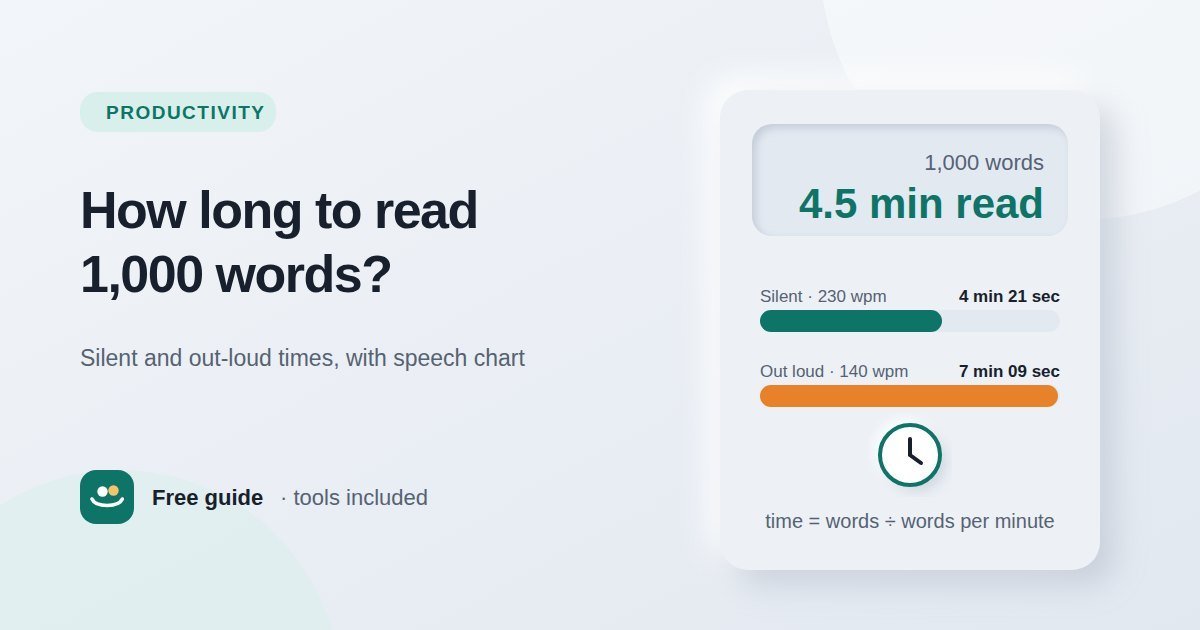
1,000 words takes about 4 and a half minutes to read silently and about 7 minutes out loud. See the reading time chart for 100 to 10,000 words and…
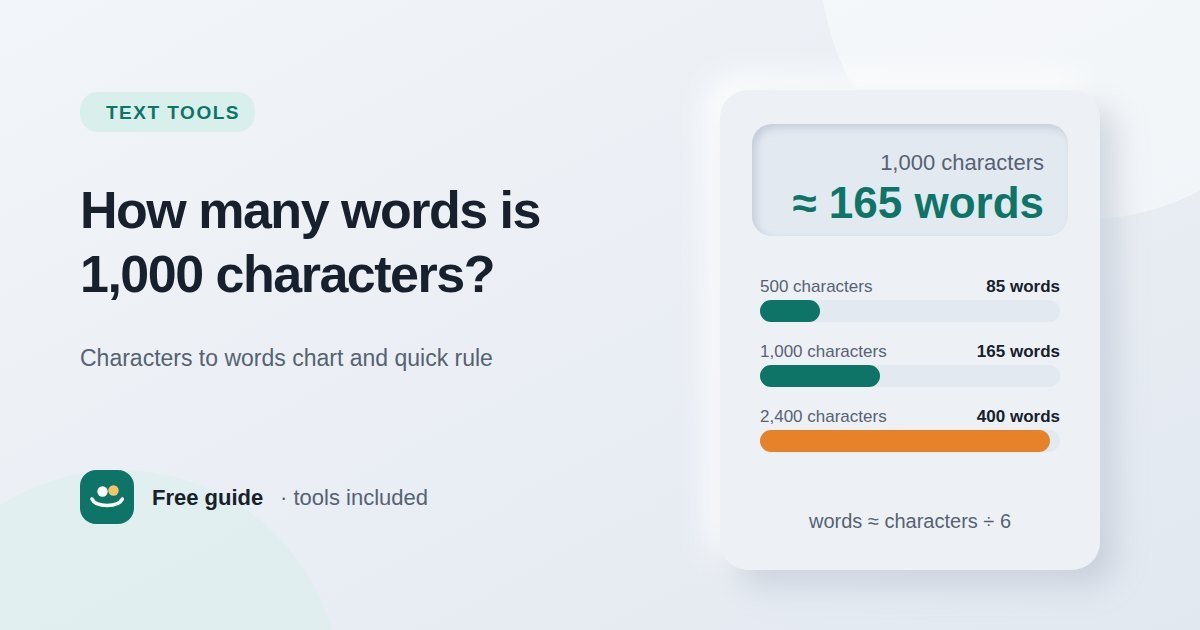
1,000 characters is about 165 words in English. Use the divide-by-6 rule and this characters-to-words chart for 500, 1,000, 2,400 characters and more.
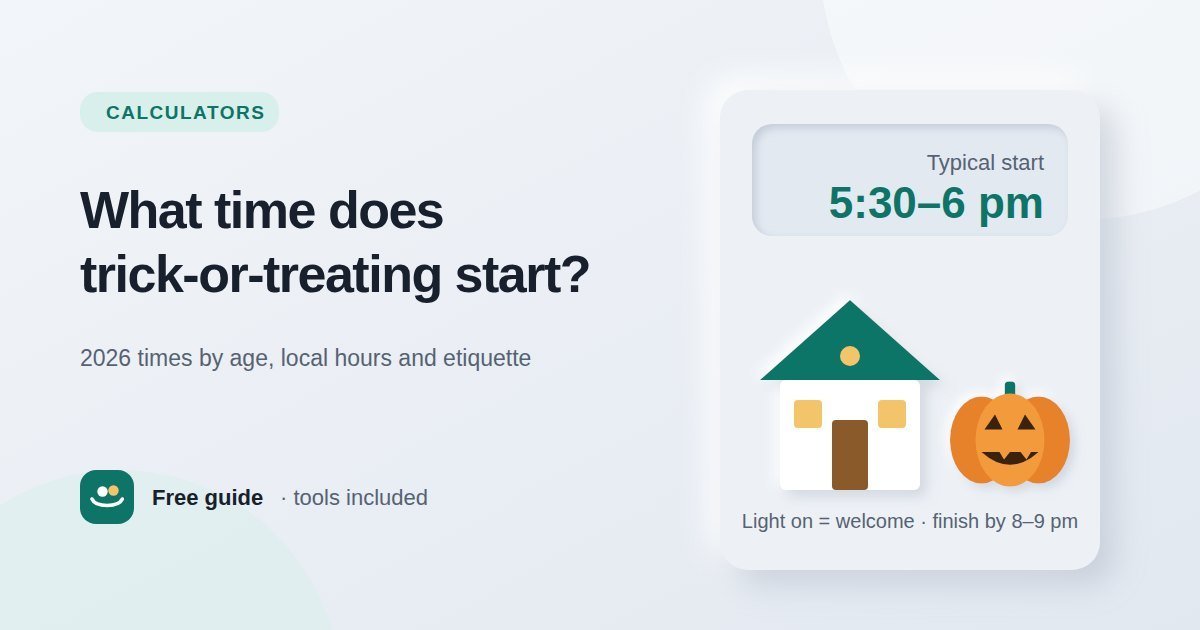
Trick-or-treating usually starts around 5:30 to 6 pm and ends by 8 to 9 pm. See typical times by age for Halloween 2026, how to check local hours…
Each guide pairs with a tool, so you can read how something works and then try it straight away.
Yes. Every tool on Toolestro is free to use without an account, a trial, or a usage limit. There is nothing to install and no premium version hidden behind the results.
No. The text tools, calculators and image tools run in your browser using JavaScript, so the content you paste or the photos you choose are processed on your own device and are not sent to our server. The only information we receive is what you deliberately send through the contact form. Details are in our Privacy Policy.
Yes. Every page is designed mobile-first and tested at small screen widths. Image tools depend on your browser's built-in image support, so very large photos may take a moment longer on older phones.
You can. The tools are built for everyday tasks like hitting an essay word limit, checking a discount or preparing images for a website. For anything where a mistake would be costly — financial, legal or official figures — double-check important results, as explained in our Disclaimer.
Different programs define a "word" slightly differently — for example, how they treat hyphenated words, numbers, or URLs. Our guide on counting words and characters accurately explains the common differences and which count to trust for a given limit.
We explain what each tool does and where its limits are, keep the guides updated, and correct mistakes when they are reported. Read our editorial policy or learn more about Toolestro.