In this article
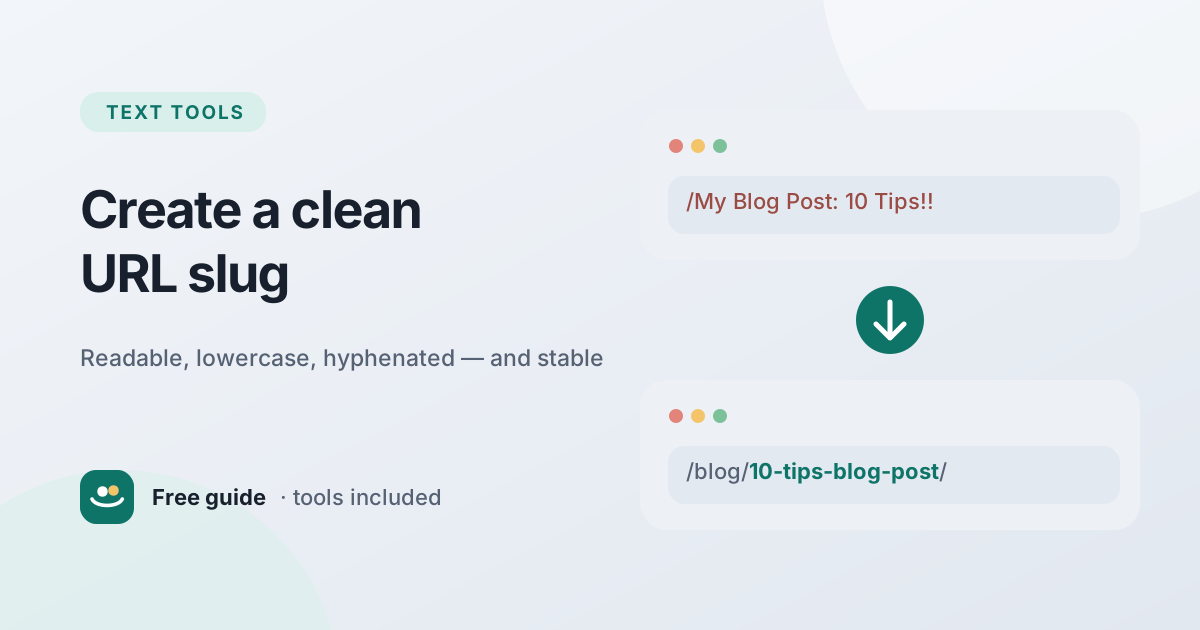
Every page on the web has an address, and the last part of that address — the part that names the specific page — is called the slug. It is a small detail, but it appears in search results, in browser tabs, in links pasted into emails and chats, and in your analytics reports for years. A clean slug makes all of those places easier to read and more trustworthy.
This guide explains what a slug is, what separates a good slug from a bad one, how to handle special characters and unnecessary words, and — just as important — when you should not change a slug. You can turn any title into a clean slug instantly with the free Slug Generator.
What is a URL slug?
A URL is made up of several parts. Take this address:
https://www.example.com/blog/how-to-calculate-percentage/
https://is the protocol.www.example.comis the domain./blog/is a folder or section, showing where the page sits in the site.how-to-calculate-percentageis the slug — the readable name of this particular page.
The term comes from newspaper publishing, where a "slug" was the short working name given to a story as it moved through production. On the web, most content management systems create a slug automatically from the page title, and let you edit it before publishing.
Why clean slugs matter
A slug does three jobs:
- It tells people what to expect. A link to
/blog/how-to-compress-images/explains itself before anyone clicks. A link to/p?id=4827does not. - It helps search engines understand the page. Google's own guidance on URL structure recommends simple, descriptive URLs that use words rather than long ID numbers, and hyphens to separate words. Words in the URL are a small signal, not a ranking shortcut — but a clear URL supports everything else you do.
- It makes sharing easier and safer. Readable URLs look more trustworthy when pasted into messages, are easier to say aloud and remember, and are less likely to break when copied.
Good slugs vs bad slugs
| Bad slug | Problem | Better slug |
|---|---|---|
/post.php?id=4827 | Says nothing about the page | /blog/reading-time-formula/ |
/How_To_Calculate_Percentage | Mixed case, underscores | /how-to-calculate-percentage/ |
/10-amazing-tips-you-absolutely-need-to-know-about-compressing-images-in-2026 | Far too long, includes a year | /compress-images-tips/ |
/caf%C3%A9-menu | Accent encoded into unreadable characters | /cafe-menu/ |
/what's-new!! | Punctuation that has to be encoded or breaks links | /whats-new/ |
/untitled-post-3 | Default slug never edited | /unit-conversion-cheat-sheet/ |
The rules for a clean slug
1. Use lowercase letters
On many web servers, paths are case-sensitive: /About and /about can be two different pages, or one of them can return an error. Using only lowercase avoids duplicate addresses and broken links when someone types the URL by hand. The Case Converter can lowercase any text, and the Slug Generator does it automatically.
2. Separate words with hyphens
Use hyphens (-), not underscores (_) or spaces. Hyphens are the long-standing convention for separating words in URLs, and Google recommends them. Spaces are encoded as %20, which is ugly and error-prone, and underscores are harder to see when a link is underlined.
3. Keep it short and descriptive
A good slug usually contains three to six meaningful words that capture the page's topic. It does not need to repeat the full title. "How to Create a Clean URL Slug for SEO and Better Sharing" can simply become how-to-create-a-clean-url-slug — or even clean-url-slug — without losing meaning.
4. Remove unnecessary words — carefully
Short "filler" words such as a, an, the, and, of, for can often be removed to shorten a slug: guide-to-the-best-hiking-trails becomes guide-best-hiking-trails. But do not remove them when it changes the meaning or makes the slug awkward. how-to-calculate-percentage reads naturally; how-calculate-percentage is shorter but slightly clumsier. Both are acceptable, which is why the Slug Generator makes filler-word removal optional.
5. Avoid special characters
Punctuation such as ? & # % ! ' " , : either has a special meaning in URLs or has to be encoded into unreadable sequences. A clean slug contains only lowercase letters a–z, numbers 0–9 and hyphens. Convert symbols into words where they carry meaning — & becomes and — and drop apostrophes entirely so don't becomes dont rather than don-t.
6. Transliterate accents and non-English letters
Modern browsers can display accented and non-Latin characters in URLs, but when copied they are often converted into long percent-encoded strings like %C3%A9. For Latin-based languages, converting é to e, ñ to n and ü to u keeps links clean everywhere. (For sites written entirely in another script, using that script in URLs can be a reasonable choice — the key is consistency.)
7. Leave out dates and numbers that will age
A slug like best-budget-laptops-2026 looks out of date next year, even if you update the article. If the content is evergreen, keep the year out of the slug and put it in the title instead, where it is easy to change. Numbers that are part of the topic — top-10-productivity-tips — are fine, although even these become a problem if you later add an eleventh tip.
8. Keep a sensible structure
The slug sits inside the site's URL structure. Organise sections in a way that matches how people navigate — for example /tools/word-counter/ for tools and /blog/how-to-count-words-and-characters/ for articles — and apply the same pattern everywhere, including whether URLs end with a trailing slash. Consistency prevents the same page being reachable at several slightly different addresses.
Step-by-step: creating a slug
- Start with the page's working title, for example "10 Tips for a Faster Website (2026 Edition!)".
- Paste it into the Slug Generator. The default result is
10-tips-for-a-faster-website-2026-edition. - Remove filler words if it helps:
10-tips-faster-website-2026-edition. - Remove anything that will date by unticking "Keep numbers" or editing by hand:
tips-faster-website. - Read it aloud. Does it describe the page clearly to someone who has not seen the title? If yes, use it.
When you are planning several pages at once, list your proposed slugs one per line and run them through the Text Sorter to spot near-duplicates next to each other alphabetically.
Changing existing slugs: be careful
Once a page is published, its URL starts collecting value: other sites link to it, people bookmark it, it appears in search results and in shared messages. Changing the slug breaks all of those references unless you handle it properly.
Avoid unnecessary changes
Do not change a slug just to make it slightly shorter or to add a keyword. The benefit is small and the risks — broken links, a temporary dip in search visibility while search engines process the change, confusing analytics — are real. A decent slug that never changes is better than a perfect one that changes twice.
When a change is justified
Changing a slug is worth it when the current one is actively harmful: it is misleading because the content has changed topic, it contains an error or something embarrassing, it includes a date that makes an evergreen page look stale, or you are restructuring the whole site.
How to change a slug safely
- Choose the new slug and publish the page at the new address.
- Set up a permanent redirect (HTTP 301) from the old URL to the new one, so visitors and search engines are sent to the right place automatically.
- Update internal links on your own site to point directly at the new URL.
- Update the page's canonical tag and make sure your XML sitemap lists the new URL.
- Keep the redirect in place long-term — ideally permanently.
Common mistakes
- Publishing with the default slug, such as
untitled-3or a long auto-generated string. - Stuffing keywords:
word-counter-free-word-counter-online-count-wordslooks spammy to people and offers no benefit. - Creating two pages with nearly identical slugs about the same topic, which splits attention between them.
- Changing slugs without redirects, leaving visitors on error pages.
- Mixing conventions, such as some URLs with trailing slashes and some without, or some uppercase.
Conclusion
A clean URL slug is lowercase, hyphen-separated, short, descriptive and free of special characters — and once it is published, it stays put unless there is a strong reason to change it, in which case you add a 301 redirect. These small habits make your links easier to read, share and trust. Use the Slug Generator to create slugs in one step, and check your page titles with the Character Counter while you are at it.
Frequently asked questions
What is a slug in a URL?
The slug is the human-readable part of a URL that identifies a specific page, usually at the end — for example, clean-url-slug in example.com/blog/clean-url-slug/.
Should I use hyphens or underscores in URLs?
Hyphens. They are the standard way to separate words in URLs and are recommended in Google's URL structure guidelines.
How long should a URL slug be?
There is no strict limit, but three to six meaningful words is a good target. Short slugs are easier to read, share and remember.
Do keywords in the URL help SEO?
Descriptive words help people and search engines understand the page, but their direct ranking effect is small. Write slugs for clarity, not for keyword stuffing.
Can I change a slug after publishing?
Yes, but only when there is a good reason. Always add a permanent 301 redirect from the old URL to the new one and update your internal links.