In this article
- Character limits at a glance
- X (Twitter) character limits
- Instagram character limits
- Facebook character limits
- LinkedIn character limits
- TikTok character limits
- YouTube character limits
- Pinterest and Threads
- Google title and meta description length
- SMS text messages
- How characters are counted
- Tips for writing within character limits
- Conclusion
- Frequently asked questions
You write the perfect post, press publish — and it is cut off, rejected or hidden behind a "more" link after the first line. Every social network, search engine and form has its own character limits, and the number of characters people actually see is often far smaller than the maximum the platform allows.
This guide brings together the character limits for X, Instagram, Facebook, LinkedIn, TikTok, YouTube, Pinterest and Threads, plus Google title and meta description lengths and SMS messages. Check any text against a limit with the free Character Counter.
Checked in September 2026. Platforms change their limits from time to time. The figures below are the widely reported limits at the time of writing; if a post is rejected, check the platform's own help pages.
Character limits at a glance
| Platform | Text | Maximum | Visible before "more" |
|---|---|---|---|
| X (Twitter) | Post (standard account) | 280 | All |
| X (Twitter) | Bio | 160 | — |
| Caption | 2,200 | ≈ 125 | |
| Bio | 150 | — | |
| Post | 63,206 | a few lines | |
| Post | 3,000 | ≈ 210 | |
| Headline | 220 | — | |
| TikTok | Caption | 4,000 | first line or two |
| YouTube | Video title | 100 | ≈ 60–70 on desktop |
| YouTube | Description | 5,000 | ≈ 150 in search |
| Pin description | 500 | first line | |
| Threads | Post | 500 | All |
| SMS | One standard text message | 160 | — |
"Visible" figures are approximate. They depend on the device, screen width, and whether the text contains line breaks or emojis.
X (Twitter) character limits
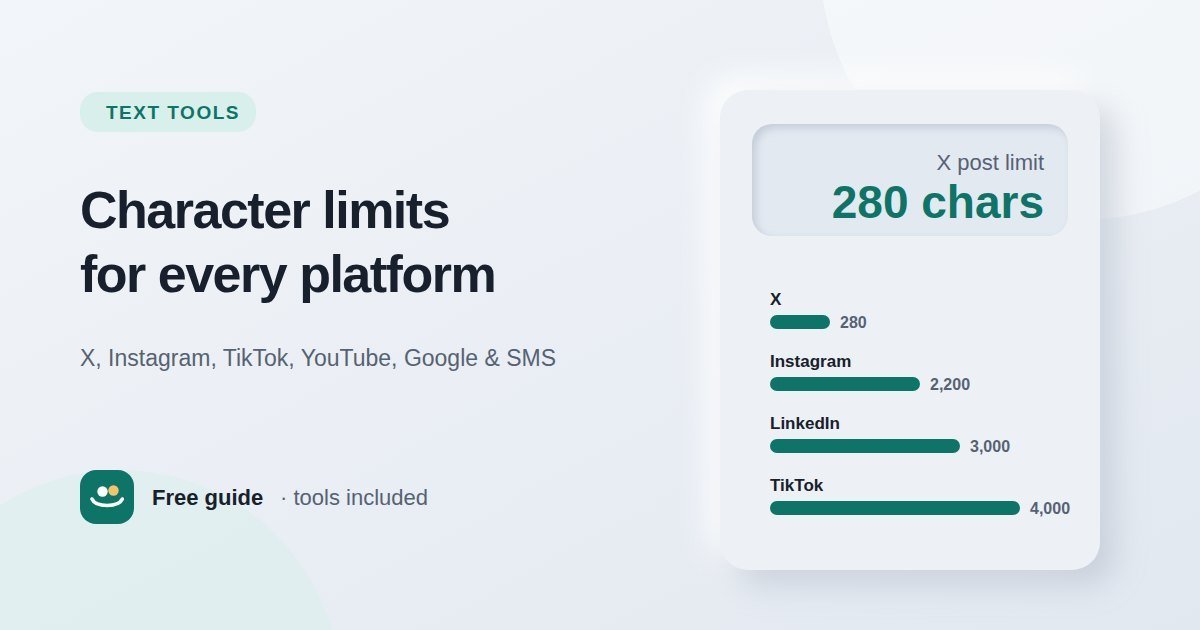
Standard posts are limited to 280 characters. Subscribers to X Premium can write much longer posts — up to 25,000 characters — but only the first part appears in the timeline, followed by "Show more". Bios can be up to 160 characters, display names 50 and usernames 15.
X counts links as a fixed length (currently 23 characters) however long the address is, and some characters, including many emojis and characters from Chinese, Japanese and Korean, count as two. That means a post can hit the limit sooner than a simple count suggests.
Instagram character limits
Captions can be up to 2,200 characters, but only about the first 125 are shown before the caption is cut off with "more". Put the hook, key message or call to action at the very start. Bios are limited to 150 characters.
Instagram has also tightened its hashtag rules: posts are now limited to 5 hashtags, down from the long-standing limit of 30. A few specific, relevant hashtags work better than a long block of generic ones.
Facebook character limits
Facebook allows extremely long posts — 63,206 characters — so you will rarely hit the maximum. The practical limit is attention: longer posts are collapsed after a few lines, and short posts often perform better. For ads, keep the primary text to around 125 characters so it is not truncated on most placements.
LinkedIn character limits
Posts can be up to 3,000 characters, with roughly the first 210 visible before "see more". Your headline — the line under your name — can be up to 220 characters, and the About section up to 2,600. Connection request notes are limited to 300 characters on most accounts.
TikTok character limits
TikTok captions can be up to 4,000 characters, a big increase on the earlier 2,200-character limit. Only the first line or two show over the video, so lead with the most important words. Bios are much shorter, at 80 characters.
YouTube character limits
Video titles can be up to 100 characters, but titles are shortened in search results and recommendations — often to around 60–70 characters on desktop and fewer on phones. Put the main keyword and the reason to click at the start. Descriptions can be up to 5,000 characters; the first 150 or so appear in search results and above the fold, so write a useful summary there.
Pinterest and Threads
Pinterest descriptions can be up to 500 characters, but only the first part shows in most views. Because Pinterest works like a search engine, use clear, descriptive words people would type into the search box. Threads posts are limited to 500 characters.
Google title and meta description length
Google does not set a fixed character limit for page titles or meta descriptions. Instead, it shortens them in search results when they are too wide for the space available, which depends on the device and the characters used (a "W" takes more space than an "i").
- Title tags: aim for roughly 50–60 characters so the full title usually shows on desktop.
- Meta descriptions: aim for roughly 150–160 characters. Google often rewrites descriptions to match the search, so focus on a clear, accurate summary rather than an exact length.
Put the most important words first in both, so the meaning survives if they are cut short. If you are also naming the page URL, keep it short and readable with the Slug Generator.
SMS text messages
A single standard SMS holds 160 characters using the basic GSM character set. Longer messages are split into several parts, and each part holds a little less (153 characters) because some space is used to join them back together. Using an emoji or certain special characters switches the whole message to a different encoding with a limit of just 70 characters per part — so one emoji can turn a one-part message into a three-part one.
How characters are counted
Most platforms count every character: letters, numbers, spaces, punctuation and line breaks. A few details catch people out:
- Spaces and line breaks count. A caption with lots of blank lines uses more characters than it looks.
- Emojis can count as more than one. Many emojis are built from several hidden code points; a family or flag emoji can use several characters on some platforms.
- Links may be counted differently. X counts every link as the same length; other platforms count the full address.
The Character Counter shows characters with and without spaces, words and lines side by side, and includes quick presets for 160, 280 and 2,200-character limits. Your text stays in your browser.
Tips for writing within character limits
- Front-load the message. Assume only the first line will be seen.
- Cut filler words such as "really", "very", "in order to" and "that".
- Use numbers as digits ("5 tips" instead of "five tips").
- Keep hashtags and mentions purposeful. They use characters and can make posts harder to read.
- Check before posting. Paste your draft into a character counter and trim until it fits.
Conclusion
The key numbers to remember are 280 for X, 2,200 for Instagram captions, 3,000 for LinkedIn posts, 4,000 for TikTok captions, 100 for YouTube titles, 500 for Pinterest and Threads, and 160 for an SMS — with around 50–60 characters for a Google title and 150–160 for a meta description. Remember that the visible part of a post is much shorter than the maximum, put your key message first, and check your text with the free Character Counter before you publish.
Frequently asked questions
What is the character limit on X (Twitter)?
280 characters for standard accounts. X Premium subscribers can post up to 25,000 characters.
How many characters can an Instagram caption have?
Up to 2,200 characters, but only about the first 125 are visible before the "more" link.
How many hashtags can I use on Instagram?
Instagram now limits posts to 5 hashtags, down from the previous limit of 30.
How long should a meta description be?
Roughly 150–160 characters. Google shortens descriptions by width rather than an exact character count, and it may rewrite them for some searches.
Do spaces count as characters?
Yes. Almost every platform counts spaces, punctuation and line breaks as characters.